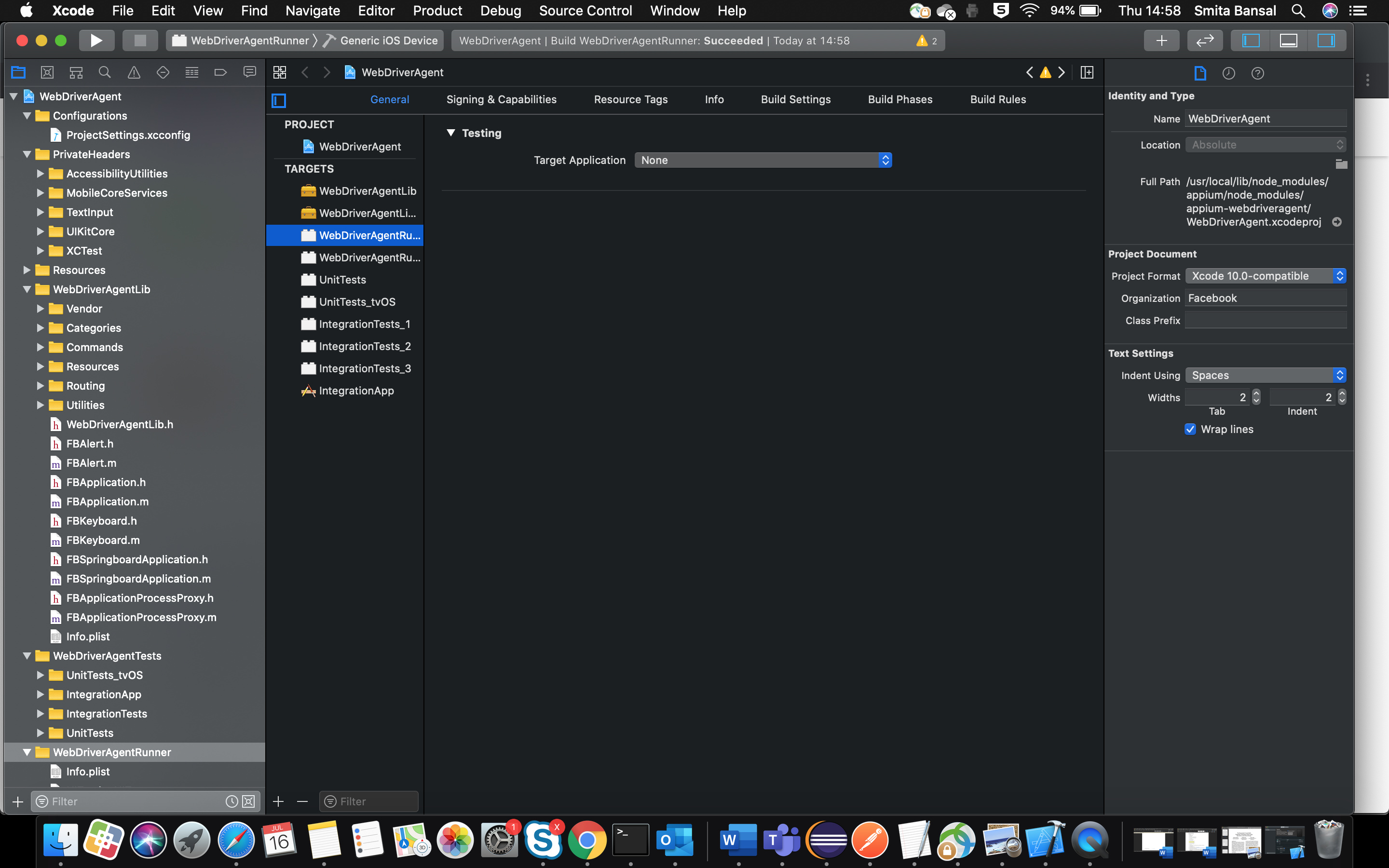
I have installed Appium 1.17.0 for iOS 13.5.1
Xcode 11.5, macOS 10.15.5
I am getting the below in my iOSDriver exception:
org.openqa.selenium.WebDriverException: It is impossible to create a new session because ‘createSession’ which takes HttpClient, InputStream and long was not found or it is not accessible
Build info: version: ‘3.141.59’, revision: ‘e82be7d358’, time: ‘2018-11-14T08:17:03’
System info: host: ‘HOSTNAME’, ip: ‘IP’, os.name: ‘Mac OS X’, os.arch: ‘x86_64’, os.version: ‘10.15.5’, java.version: ‘1.8.0_191’
Driver info: driver.version: IOSDriver
Console logs:
35m[WD Proxy]e[39m Got response with unknown status: {“code”:“ECONNRESET”}
e[35m[WebDriverAgent]e[39m xcodebuild exited with code ‘70’ and signal ‘null’
e[35m[WebDriverAgent]e[39m Launching WebDriverAgent on the device
e[35m[WebDriverAgent]e[39m Fetching dependencies
e[35m[WebDriverAgent]e[39m Dependencies up-to-date
*[debug] e[35m[WebDriverAgent]e[39m Killing running processes 'xcodebuild.
UDID’ for the device UDID
*[debug] e[35m[WebDriverAgent]e[39m 'pgrep -if xcodebuild.
UDID’ didn’t detect any matching processes. Return code: 1
Any suggestions in resolving the issue will be helpful.
Thanks in advance.

Smita13:
org.openqa.selenium.WebDriverException: It is impossible to create a new session because ‘createSession’ which takes HttpClient, InputStream and long was not found or it is not accessible
I did a quick search on the above and found a SO thread with a bunch of possible answers:
stackoverflow.com
My Builds are successful but egetting console error
[35m[Xcode]e[39m xcodebuild: error: Failed to build project WebDriverAgent with scheme WebDriverAgentRunner.
alongwith exit code 70 error
now close xcode
i am starting appium during test how ?
i am open driver with capabilities ?
real device or simulator?
cap.setCapability(MobileCapabilityType.
UDID
,
UDID
);
cap.setCapability(MobileCapabilityType.
PLATFORM_NAME
,
PLATFORM_NAME
);
cap.setCapability(MobileCapabilityType.
PLATFORM_VERSION
,
PLATFORM_VERSION
);
// cap.setCapability(“autoWebview”, true);
cap.setCapability(MobileCapabilityType.
AUTOMATION_NAME
, AutomationName.
IOS_XCUI_TEST
);
cap.setCapability(“startIWDP”,
true
);
cap.setCapability(“useNewWDA”,
true
);
// cap.setCapability(“webDriverAgentUrl”, “
http://localhost:8100
”);
cap.setCapability(“shouldUseTestManagerForVisibilityDetection”,
true
);
cap.setCapability(“locationContextEnabled”,
true
);
cap.setCapability(“webkitResponseTimeout”, 30000);
cap.setCapability(“newCommandTimeout”, 30000);
cap.setCapability(“showXcodeLog”,
true
);
//cap.setCapability
(“showIOSLog”, true);
cap.setCapability(“bundleId”, “BundleId”);
cap.setCapability(“autoWebView”,
true
);
Real device
Exception 1:
On debugging, Getting exception in the IOSDriver for HTTPClient
org.openqa.selenium.WebDriverException: It is impossible to create a new session because ‘createSession’ which takes HttpClient, InputStream and long was not found or it is not accessible
driver
=
new
IOSDriver(
new
URL(“
http://127.0.0.1:4723/wd/hub
”), cap);
iosDriver
= (IOSDriver)
driver
;
Exception 2:
[39m Connection was refused to port 8100
e[35m[WD Proxy]e[39m Got response with unknown status: {“code”:“ECONNRESET”}
m WDA is not listening at ‘
http://127.0.0.1:8100/
’
Exception 3:
[debug] e[35m[W3C]e[39m xcodebuild: error: Failed to build project WebDriverAgent with scheme WebDriverAgentRunner.
Although build the project with WebDriverAgentRunner, WebDriverAgentLib, still getting this exception
Sometimes, getting below
e[35m[Xcode]e[39m WriteAuxiliaryFile /Users/UserName/Library/Developer/Xcode/DerivedData/WebDriverAgent-ciegwgvxzxdrqthilmrmczmqvrgu/Build/Intermediates.noindex/WebDriverAgent.build/Debug-iphoneos/WebDriverAgentLib.build/WebDriverAgentLib-all-non-framework-target-headers.hmap (in target ‘WebDriverAgentLib’ from project ‘WebDriverAgent’)
Let me know if any other details are required.
what commands appium uninstalled and installed?
Build the WDA with xCode. How? e.g. i use build target ‘WebDriverRunner’ for ‘Generic iOS device’
try latest appium 1.18.beta
try delete xCode derivedData folder data before build “WDA” -> /Users/UserName/Library/Developer/Xcode/DerivedData/
try clean build folder with xCode menu before build “WDA”
npm uninstall -g appium and npm install -g appium@beta
Build WDA with Xcode. build target ‘WebDriverRunner’ for ‘Generic iOS device’
Removed installed appium and Installed beta 1.18.0-beta, created Resources/WebDriverAgent.Bundle, ran bootstrap.sh command. Dependencies installed.
Deleted the derivedData folder
Opened Xcode and configured WDA
Cleaned build folder. Build WDA
Build WDA with Generic iOS device
No luck. Same issue!!!
e[35m[Xcode]e[39m xcodebuild: error: Failed to build project WebDriverAgent with scheme WebDriverAgentRunner.
e[35m[Xcode]e[39m Reason: Cannot test target “WebDriverAgentRunner” on “Mobility”: Logic Testing Unavailable Logic Testing on iOS devices is not supported. You can run logic tests on the Simulator.
e[35m[Xcode]e[39m
e[35m[WebDriverAgent]e[39m xcodebuild exited with code ‘70’ and signal ‘null’
Done that but .app is not generating
xcodebuild build test -project /usr/local/lib/node_modules/appium/node_modules/appium-webdriveragent/WebDriverAgent.xcodeproj -scheme WebDriverAgentRunner -destination id=‘UDID’ -configuration Debug
BUILD SUCCEEDED but
xcodebuild: error: Failed to build project WebDriverAgent with scheme WebDriverAgentRunner.
Smita13:
xcodebuild: error: Failed to build project WebDriverAgent with scheme WebDriverAgentRunner.